We at The Hail Reporter strive to ensure that
our customers needs and expectations are met. We will do what it takes to
understand your requirements and resolve issues related to our alerting and
reporting service.
To save you time on sending us a message, we thought we should let you know
that 99% of our support issues are solved much faster by reading the account
information below.
I HAVE A STATEWIDE FREE ACCOUNT ↓
I HAVE A NATIONWIDE ACCOUNT ↓
- Hail Reports
- Q. I forgot my password. Please email it to me.
- A. We don’t have your password stored in our system, as it is encrypted within our secure database.
You can retrieve your password provided you remember your username or the email you used to register. In the log in page, click “I forgot my password” and follow the instructions.
- A. We don’t have your password stored in our system, as it is encrypted within our secure database.
- Q. I am having trouble logging into the website. What could the issue be?
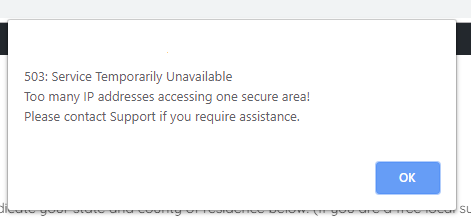
- A. Have you been sharing your username/password with others? Your subscription allows you to access HailReporter.com from only two devices. If you exceed that, the system times you out, disallowing use for a time. This keeps us from going bankrupt from customers sharing their accounts with everyone they know. If you have exceeded the allowable number of devices, you will receive this notice:
503: Service Temporarily Unavailable
Too many IP addresses accessing one secure area!
Please contact Support if you require assistance.
If you should need to change the two devices you are using, contact us and we’ll make that possible.
- A. Have you been sharing your username/password with others? Your subscription allows you to access HailReporter.com from only two devices. If you exceed that, the system times you out, disallowing use for a time. This keeps us from going bankrupt from customers sharing their accounts with everyone they know. If you have exceeded the allowable number of devices, you will receive this notice:
- Q. Why can’t I see all the features when visiting the Hail Reports page?
- A. You must be logged in to access all features.
- Q. Why do I only see reports for my home state on the Hail Reports page?
- A. If you are able to see only one report that is for your home state, it could be because you are not logged in or your subscription has expired and needs to be renewed.
- Q. I forgot my password. Please email it to me.
- Email Alerts
- Q. Why am I not getting any email alerts?
- A. There are three likely reasons a subscriber doesn’t get alerts:
1) ) The email alerts haven’t been properly set up
2) The email alerts are currently turned off or disabled
3) The Nationwide subscription has reached its end of term
To set up your email alerts, click on “My Settings” and fill in the necessary fields in the Geographic, Alert, Email and Text fields.
In the “Geographic Setting” select the names of the states you wish to receive alerts for. and “Email Settings” tabs on that page. In the “Email Settings” section, be sure to enable your email updates and then click on the “Save Changes” button. You can turn your email and text alerts on and off at any time by enabling or disabling them.
- A. There are three likely reasons a subscriber doesn’t get alerts:
- Q. I have enabled my email alerts, but I’m still not receiving them.
- A. Depending on your email inbox settings, our email alerts can sometimes miss your inbox and can be found in your “Spam” folder. Please check your spam filter or inbox settings.
If this problem still persists, let us know and we’ll do our best to help you figure it out.
- A. Depending on your email inbox settings, our email alerts can sometimes miss your inbox and can be found in your “Spam” folder. Please check your spam filter or inbox settings.
- Q. I’m getting some email alerts, but I know of other storms that I’m not getting alerts for. What’s the problem?
- A. First, check the “Alert Filters” tab on your “My Settings” page. If your settings there are set above the minimums, you won’t receive alerts for storms that don’t meet or exceed your settings.
For example: If you have set your controls for hail of only 1.75″ or greater, you will not receive an alert for hail of 1.5″.
Also check the “Email Settings” tab for the frequency. If, for example, your alerting frequency is set for every six hours, you won’t receive any email alerts for six hours after the first alert you receive on any given day.
Additionally, make sure that all the states you wish to receive alerts for are checked in the “Geographic Settings” section.
- A. First, check the “Alert Filters” tab on your “My Settings” page. If your settings there are set above the minimums, you won’t receive alerts for storms that don’t meet or exceed your settings.
- Q. On heavy storm days, I get too many email alerts. What can I do to slow them down?
- A. You can either disable your email alerts altogether in the “Email Settings” section, or you can change the email frequency on that same tab to receive a summary email at some greater interval. For instance, you might set the frequency to every two hours, in which case you’ll receive two hours worth of information all in one instead of several emails.
- Q. Why am I not getting any email alerts?
Haven’t been able to find your answer? Please check our FAQ page. If you would like to speak directly to someone in our support team, send us a message and we’ll get back to you as quickly as we can.